Support

SmartPeg Reference Guide

Your complete reference for choosing the correct SmartPeg for your implant system.

The SmartPeg Reference Guide helps you identify the specific SmartPeg type required – now showing both single‑use and reusable SmartPegs side by side, to help you select the option that best fits your clinical workflow.

Find SmartPeg

Understanding what SmartPegs measure

ISQ (Implant Stability Quotient) is a scale from 1 to 99 used to assess the stability of dental implants. The ISQ value is derived from a measurement of implant micromobility: the lower the micromobility, the higher the resulting stability. Because it is more clinically meaningful to interpret stability rather than mobility, this micromobility measurement is converted into an ISQ value – providing a clear indication of implant stability and supporting knowledge‑based treatment decisions. Supported by more than 1,500 scientific references, ISQ values are commonly interpreted as:

  •  High stability: ISQ >70
  • Medium stability: ISQ 60–69
  • Low stability: ISQ <60

SmartPegs are the precision‑engineered components required to obtain these values. When attached to the implant or abutment, they enable the Osstell instrument to measure resonance frequency and convert it into an objective, repeatable ISQ value.


How SmartPegs work

Why SmartPegs are single use or reusable – and why it matters

Reusable SmartPeg reprocessing quickguide


Is the ISQ value affected by the torque of the SmartPeg?

The SmartPeg should be tightened with 4-6 Ncm, which means “finger tight”, using the SmartPeg Mount. It is enough with firm contact between the SmartPeg and the implant. The difference in ISQ value will then stay within 2 ISQ units. (If the SmartPeg is tightened too loosely, the ISQ-value will be lower.) If the SmartPeg is over-tightened, there is a risk that the SmartPeg threads will be damaged or that the SmartPeg will fracture.
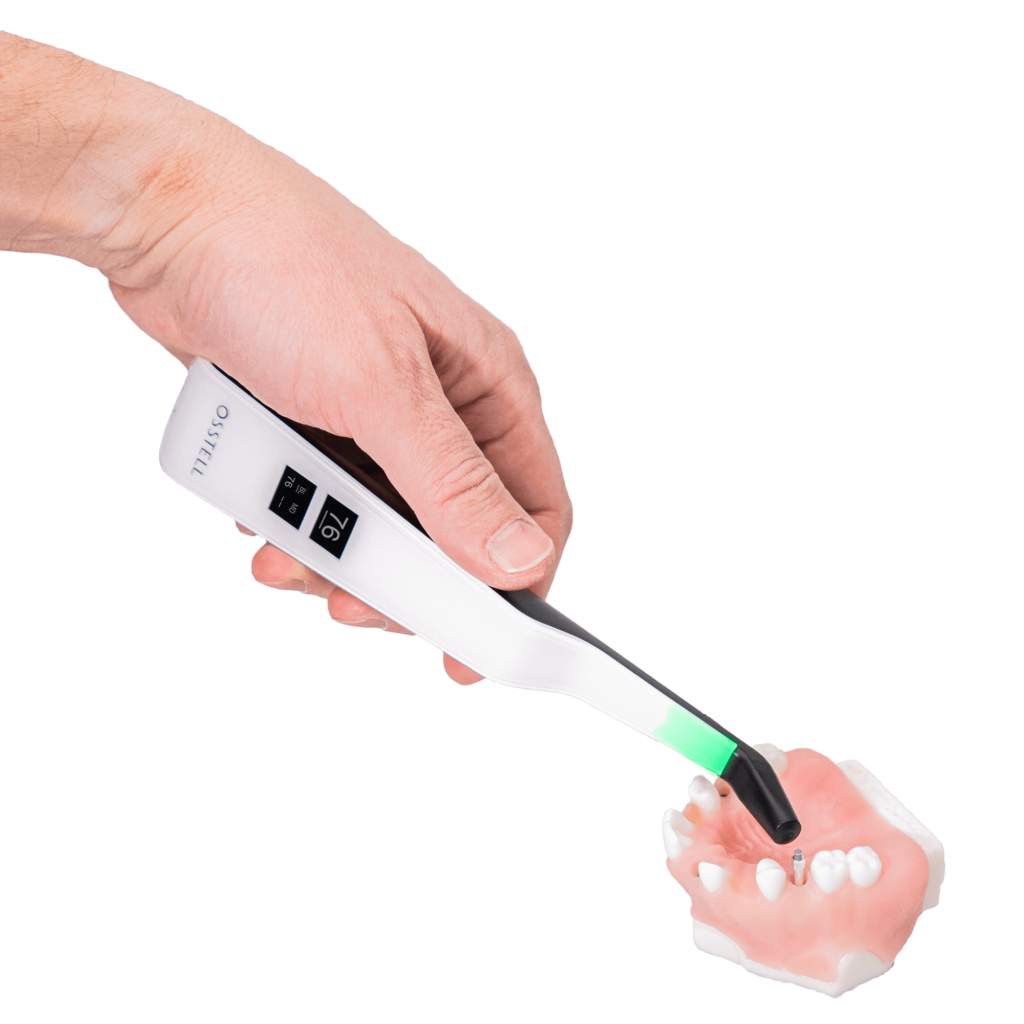
Did you know that implant stability can be measured at abutment level?

This requires a SmartPeg designed for that purpose, and the results are not directly comparable to those measured at implant level. To establish a reliable baseline, it’s recommended to measure stability both before and after the abutment is installed – during the same treatment visit – so that future follow-up measurements can be accurately interpreted.

Measuring implant stability at the abutment level
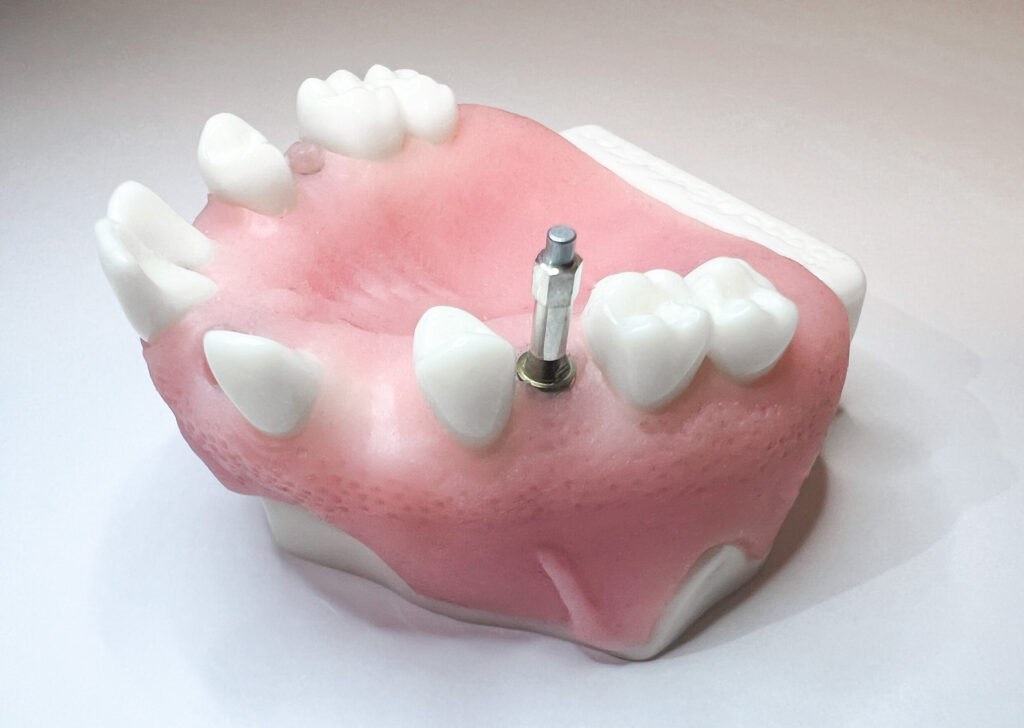
Measure on abutment level

If you get no reading or an unexpected ISQ value

If you get no ISQ reading:

  • Check that the correct SmartPeg Type is used.
  • Ensure it is tightened finger‑tight (4–6 Ncm) and installed with the SmartPeg Mount.
  • Verify that both the implant or abutment surface and the SmartPeg are clean,  and ensure the SmartPeg is free from soft‑tissue contact.
  • Use only SmartPegs in good condition – new (single‑use) or undamaged and within 20 cycles (reusable).
  • Ensure the SmartPeg is an original Osstell SmartPeg.
  • Ensure the instrument tip is held 2–4 mm above the magnet and angled at approximately 45°.
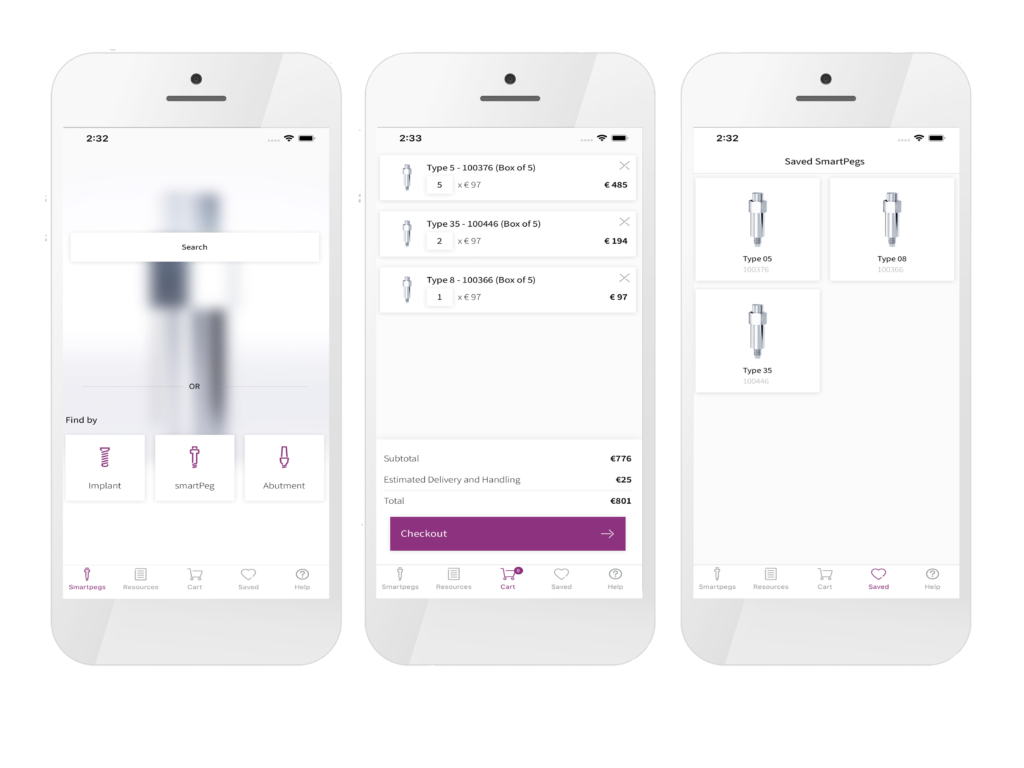
SmartPeg app

Designed to help you quickly find the right SmartPeg for even easier Osstell ISQ measurements on implants and abutments.

Can I reuse the SmartPegs?

SmartPegs are now available in two versions: single‑use and reusable. Both versions are made from aluminium, ensuring they are gentle on the implant’s internal threads.

The single‑use SmartPegs are designed for one procedure only and cannot be reprocessed. The magnet cannot withstand autoclave temperatures and will become affected or discoloured, and repeated tightening may wear the aluminium threads, potentially leading to inaccurate ISQ values.

The reusable SmartPegs are specifically engineered to tolerate up to 20 validated cleaning and sterilisation procedures. They feature a surface coating that protects both the magnet and the aluminium threads during repeated use, ensuring consistent and reliable ISQ measurements over multiple cycles.

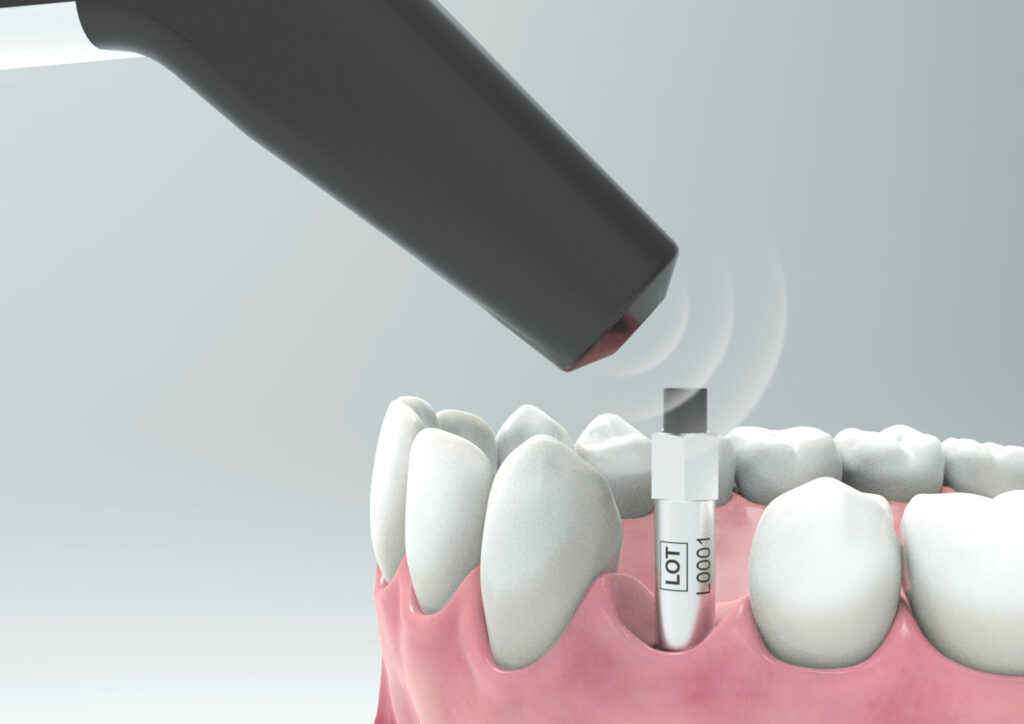
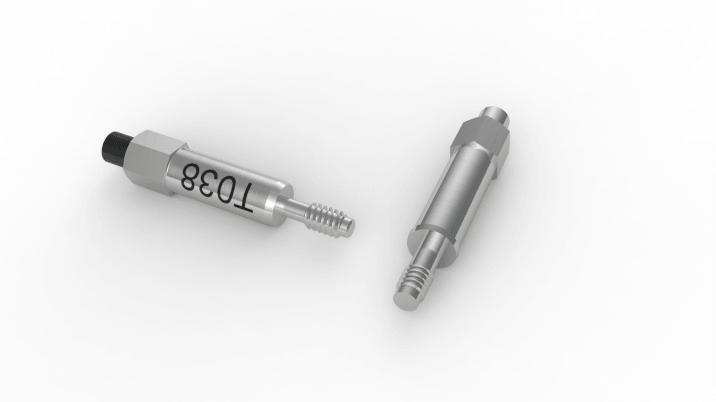
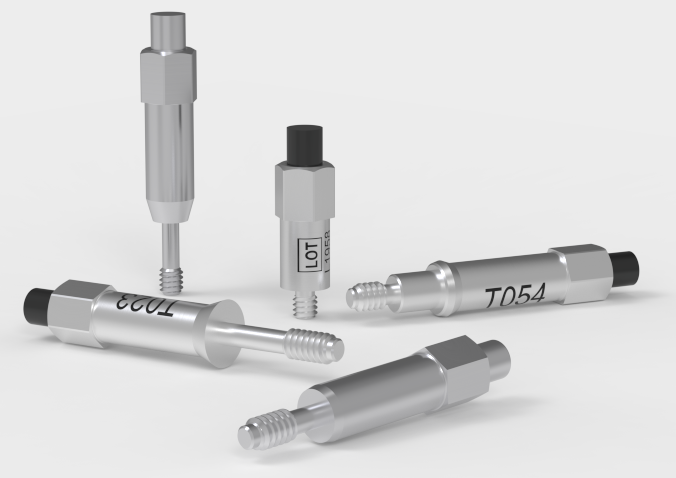
The two versions are easy to distinguish visually:

The single‑use SmartPeg is aluminium‑coloured throughout.
The reusable SmartPeg has a black magnet and black laser‑marked Type and LOT.

Always follow the handling and sterilisation instructions for the version you are using to ensure safe and accurate ISQ measurements.
Frequently asked questions about SmartPegs

Can the reusable SmartPeg be sterilised according to the Prion cycle?

Yes, it can be sterilised with a Prion cycle at 134 °C for 18 minutes.

How should I mount the SmartPeg on the implant?

Whether you are using a single-use or a reusable SmartPeg, it should always be installed using the SmartPeg Mount and tightened to approximately 4–6 Ncm – typically described as finger tight. This ensures proper seating and accurate ISQ measurements without risking damage to the implant or the SmartPeg.

Can I mix single-use and reusable SmartPegs in the same treatment session?

Yes. You can mix single-use and reusable SmartPegs during the same treatment session. The only requirement is that you use the correct SmartPeg Type number for the specific implant or abutment you are measuring.

Whether the SmartPeg is single-use or reusable does not affect the measurement.

Does a reusable SmartPeg provide the same ISQ values as a single use SmartPeg?

Yes, as long as its integrity and performance are maintained.

Osstell is also the only company offering both a sterile single-use and a reusable SmartPeg made of aluminium, supported by more than 1,500 published studies on the ISQ method.

With the Osstell original ISQ scale and SmartPegs, no conversion tables or correction factors are needed. The measured ISQ value is the true value, regardless of whether you use a single use or a reusable SmartPeg.

How are the different SmartPegs packed?

SmartPegs are supplied in different packaging formats depending on whether they are single-use or reusable:

Single-use SmartPegs

  • Delivered sterile.
  • Supplied in boxes of 5 pieces, in a single sterile barrier system with protective outer packaging.
  • Intended for one treatment session only and must not be reused.

Reusable SmartPegs

  • Delivered nonsterile in individual packaging.
  • Must be cleaned, disinfected and sterilized before the first clinical use and after every subsequent use. (See quickguide at osstell/ifu).

SmartPeg Mount

  • Delivered nonsterile with the instrument.
  • Can be purchased separately, in package of 5.
  • Must also be cleaned, disinfected and sterilized before use and between patients. (See quickguide at osstell/ifu).
Is there a visual difference between the single-use and reusable SmartPeg?

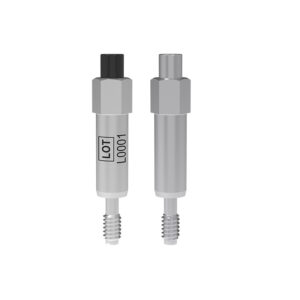
Yes. The reusable and single use SmartPegs are designed so they can be easily distinguished visually:

  • The single-use SmartPeg is supplied sterile, has an aluminium coloured (non coloured) magnet, and does not include any laser marked identifiers on the body.
  • The reusable SmartPeg has a black magnet on top and carries laser marked Type and LOT numbers on the body for identification and traceability.
How many times can the SmartPeg be used?

The reusable SmartPeg can be used for up to 20 reprocessing cycles, as long as its integrity and performance are maintained.

If inspection reveals wear, deformation, corrosion, damaged threads, or any loss of functional compatibility, the SmartPeg must be discarded, even if it has been processed fewer than 20 times.

The single-use SmartPeg is intended for one treatment session only and must not be reprocessed.

Why can the reusable SmartPeg be cleaned and sterilised when the single-use SmartPeg cannot, even though both are made of aluminium?

The reusable SmartPeg is engineered with special protective surface coating – one on the SmartPeg body and another black protective coating on the magnet. These coatings provide resistance to moisture, cleaning chemicals, wear, and corrosion, ensuring that the SmartPeg maintains its performance throughout the validated number of reprocessing cycles.

The reusable SmartPeg can easily be distinguished from the single use version: it has a black magnet, and its LOT and Type number are laser marked on the body for clear identification.

How should the reusable SmartPeg and the SmartPeg Mount be cleaned and sterilized?

Prior to the first clinical use, and after each use the reusable products must be cleaned, disinfected and sterilized according to the instructions in the quickguide that is found here: Osstell/ifu

How do I measure and record ISQ on an abutment?

You can record ISQ at abutment level in OsstellConnect, but it is important to follow the correct clinical measurement procedure to obtain accurate values.

How to measure ISQ at abutment level

  1. Perform an implant level measurement first, before placing the abutment.
  2. Measure again at abutment level during the same session, using a SmartPeg made for abutment level measuring.
  3. Determine the offset by noting the difference between implant level and abutment level ISQ. This offset remains stable throughout healing and should be used when interpreting follow-up measurements.
  4. For all subsequent visits, measure on the abutment and apply the same offset to understand the true implant ISQ.

How to record the measurement in OsstellConnect:

  1.  Go to the patient’s record, select the patient and the implant in the tooth chart. Click ‘Add abutment’, choose the abutment, and save.
  2. Select ‘Measure stability’ and choose ‘Abutment’ under Measurement level. Measure on the abutment as you would at implant level and save.
  3. To review the stability trend, open the Stability tab and toggle ‘Show abutment’. You can also enable ‘Show details’ to view buccal–lingual and mesial–distal ISQ values.

For a more detailed explanation and clinical guidance, see our blog post here.

Why do I get unexpected values or no readings when taking measurements?

Several factors may cause unexpected ISQ values or failure to obtain a reading:

  1.  Incorrect use or condition of the SmartPeg
    Single-use SmartPeg: These are intended for one treatment session and one patient only. Reusing a single-use SmartPeg may lead to worn threads and unreliable measurements.
    Reusable SmartPeg: Ensure it has been correctly cleaned, inspected, and is not damaged. Wear, deformation or contamination can affect performance.
  2.  Wrong SmartPeg type selected
    Make sure you have selected the correct SmartPeg Type for the specific implant system and connection. Refer to the SmartPeg Reference Guide.
  3.  Tissue or debris in the implant connection
    Bone fragments, soft tissue or fluid between the implant interface and the SmartPeg can prevent proper seating. Clean the implant prosthetic connection thoroughly before attaching the SmartPeg.
  4. Electromagnetic interference
    Nearby sources of electromagnetic disturbance may disrupt the measurement. Remove or switch off the source where possible.
  5. Incorrect measuring instrument positioning
    Hold the instrument tip 2–4 mm from the SmartPeg and aim it correctly towards the top of the peg at an angle of approximately 45°. Do not touch the magnet.
Why do I need to take two measurements at the same occasion?

ISQ should always be measured in two directions, because implant stability can vary depending on the amount of surrounding bone in different directions. Measuring from two angles ensures that both the most and the least stable directions are captured.
To do this, take one measurement in the buccal-lingual direction and one in the mesial-distal direction. These two ISQ values represent the different stability directions. Sometimes the values are identical; sometimes they differ.
If the two measurements differ, always rely on the lowest ISQ value, as it reflects the weakest direction and therefore provides the most clinically relevant information about implant stability.

How does the Osstell technology work?

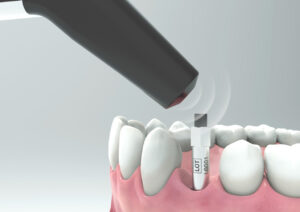
Osstell measures implant stability using Resonance Frequency Analysis (RFA). The small SmartPeg that you attach to the implant has a tiny magnet on top. When the probe sends magnetic pulses, the SmartPeg starts to vibrate – similar to a very small tuning fork.
How it works:

  1.  The probe sends magnetic pulses
    These pulses make the SmartPeg vibrate without touching it.
  2. The vibration changes depending on how stable the implant is
    – A stable implant (good bone support) makes the SmartPeg vibrate faster.
    – A less stable implant makes it vibrate slower.
  3. The device converts this vibration into an ISQ value
    – Higher stability → higher frequency → higher ISQ
    – Lower stability → lower frequency → lower ISQ

It takes less than a second, and the ISQ value is shown immediately.

Does the way the SmartPeg is tightened affect the ISQ value?

Yes. The ISQ value can be affected if the SmartPeg is not mounted correctly.

For accurate measurements, the SmartPeg should be attached finger tight using the SmartPeg Mount, which corresponds to about 4–6 Ncm.

At this level, the SmartPeg has firm, stable contact with the implant, and the resulting ISQ value is consistent – typically within ±2 ISQ units.

  • If the SmartPeg is not fully seated:
    The contact becomes unstable, and the ISQ value can appear artificially low, or you don’t receive any value.
  • If too much force is applied:
    Overtightening does not improve accuracy. It may damage the SmartPeg threads.
    – A reusable SmartPeg may be damaged so it cannot be used again.
    – A single use or reusable SmartPeg may have its threads deformed, which can lead to inaccurate measurements during that session or, in worst case a broken SmartPeg.

In short: finger tight (4–5 Ncm) is enough to ensure stable contact and reliable ISQ readings.

What should I do if no ISQ value is displayed?

If no ISQ value appears, it usually means the SmartPeg’s vibration is not being detected clearly by the instrument. Several factors can cause this, and most are easy to resolve:

  1. Distance to instrument is too great
    The instrument should normally be held 2–4 mm from the magnet on top of the SmartPeg. Do not touch the magnet. If no value appears, move the instrument closer until the signal is detected.
  2.  Angle needs adjustment
    The magnetic field is directional, so the orientation of the instrument matters. Measurements should be taken at approximately a 45° angle relative to the top of the SmartPeg.
  3.  Ensure you have the correct SmartPeg Type for the specific implant
    Use this link to find the correct SmartPeg Type: Find my SmartPeg
  4.  Soft tissue damping
    Surrounding tissue can sometimes dampen the vibration more than expected. Holding the instrument a bit closer usually compensates for this.
  5. The implant platform is not clean
    Ensure the implant platform is clean and free of debris, so the SmartPeg seats properly and transmits its vibration.
  6. The SmartPeg is worn or damaged
    • If you are using a reusable SmartPeg, make sure it has been inspected before use and that it is within 20 reprocessing cycles. A reusable SmartPeg that is worn out, bent, or has damaged threads will not vibrate correctly — and the instrument may not be able to pick up a reading.
    • A single‑use SmartPeg is intended for one treatment session only.
    • Ensure the SmartPeg is properly seated on the implant and that it is not in contact with surrounding tissue, as this can prevent accurate signal detection and may result in no ISQ value or an incorrect one.
  7. Electromagnetic interference
    Strong electromagnetic noise sources nearby may disturb the measurement. (See the FAQ on “Electromagnetic noise” for details.)
Which Osstell products can be autoclaved?

The following products may be autoclaved (over-pressurized steam up to 135 deg Celsius):

  • SmartPeg Mount
  • Reusable SmartPeg
  • Probe (IDx)

Please note that single-use SmartPegs are disposable and cannot be autoclaved!

Still have questions?

We’re here to help! Simply fill out the form and we’ll contact you as soon as possible.